
Build your marketing team
Give agents a role and let workflows turn that direction into repeatable work.
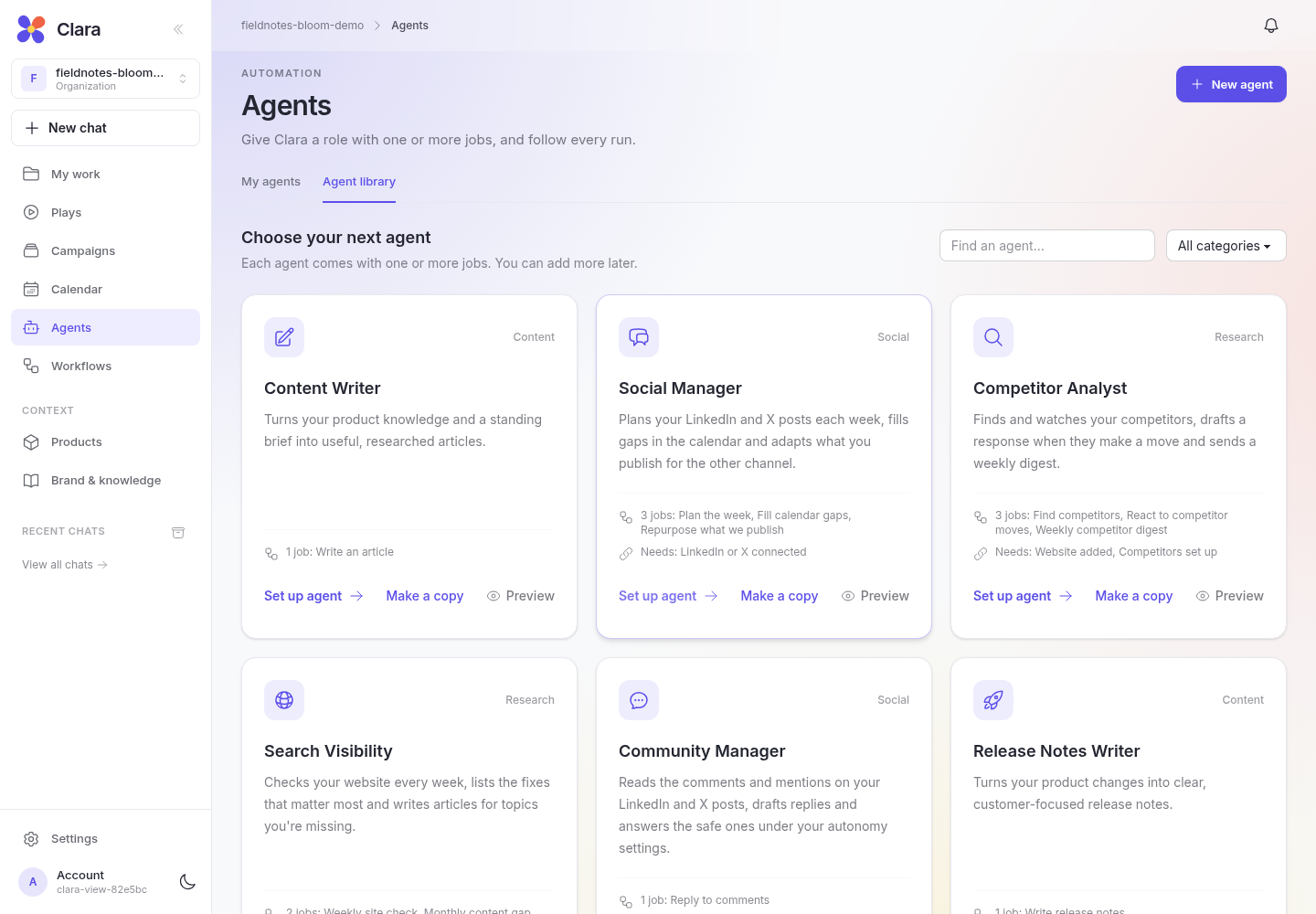
Agents own the role; workflows do the jobs
An agent brings together a role, goal, standing instructions, shared learning, and one or more jobs. Each job is a workflow with its own steps, triggers, versions, and activity history. A workflow can also run on its own.
Use Agents to manage your team and Workflows to inspect or build the sequences behind the work. A workflow that belongs to an agent shows that relationship.
Start from the Agent library
Open Agents → Agent library. Content Writer, Social Manager, Search Visibility, and Competitor Analyst cover common marketing roles. Preview their jobs before setup, choose the ones you need, and tailor the instructions to your product.
For example, Social Manager has jobs to plan the week, fill calendar gaps, and repurpose published posts. Search Visibility needs a website; social publishing needs a connected channel.
You can also build your own agent or use an existing standalone workflow as its first job.
Build a standalone workflow on the canvas
Open Workflows → New workflow. Name the automation, then add blocks to its canvas and connect the steps. Use research, content generation, conditions, loops, reviews, and connected actions to model the process. Separate branches can run independently; a step that joins them waits for its dependencies.
Select a block to edit its properties, use Fit workflow to see the whole graph, and save your draft before activation. Build with Clara lets you describe the workflow and refine it in conversation.
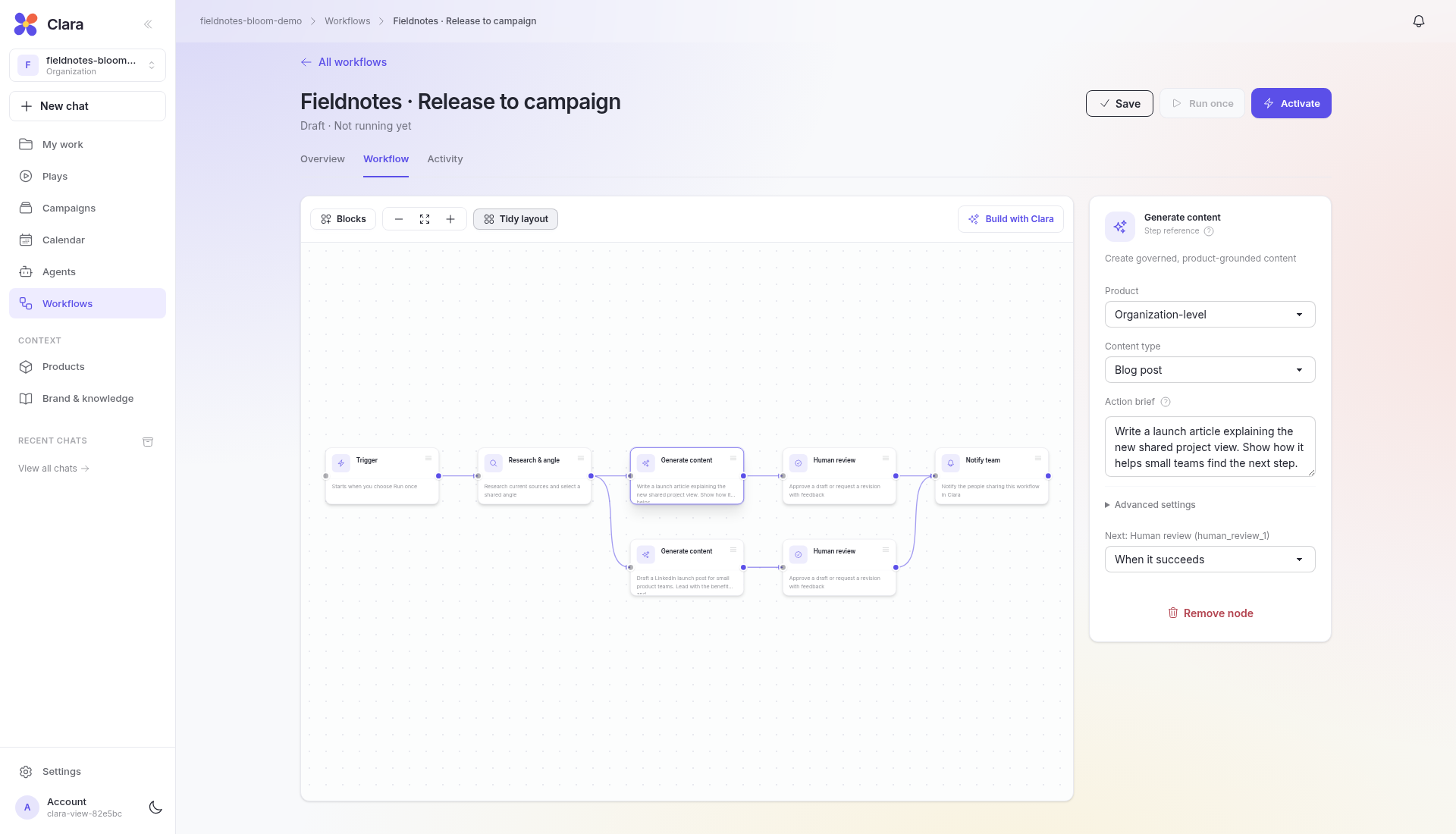
Choose how each job starts
In a workflow, select its Trigger step. Jobs can start when you ask, on a schedule, from a supported Clara event, or through a configured incoming webhook. Scheduled start rules can have their own instructions, timing, and timezone.
Events include a published post, a detected competitor update, and a gap in the calendar. A publication can start repurposing; a calendar gap can start a new draft. These are separate runs, each visible in Activity.
Test, then activate
Inspect the steps, context, connections, and approval settings before activation. Use Run once on a job with a published workflow version to check the result. Activating an agent makes its eligible jobs available to their automatic start rules; a job paused individually stays paused.
A trigger starts the workflow, not the publication. Give generation and review enough time, and plan delivery through the publishing step or Calendar.
Follow the work and keep learning
Use the agent’s Jobs tab to manage its workflows and Activity to follow outputs and reviews. Learning holds editable lessons from available results and preferences from your reviews. These can inform the agent’s later generation steps; performance lessons need enough synced results to be meaningful.
Pause an agent to stop future automatic starts across its jobs, or pause an individual job. Already running workflows may continue. Use the autonomy controls to hold automatic publication.
Choose the autonomy that fits
New agents can start with approval restrictions even when the workspace uses Autopilot. Check the agent’s autonomy summary as well as the organization settings before expecting automatic publishing.