
Product context
Keep each product’s knowledge together so a new brief can start from the right material.
GET TO KNOW YOUR AI MARKETING TEAM
Start with your product knowledge, explore ideas in chat, and create content with Plays. Bring pieces together in campaigns, delegate recurring work to agents, and use the planner to decide what comes next—with the level of autonomy you choose.
Get early access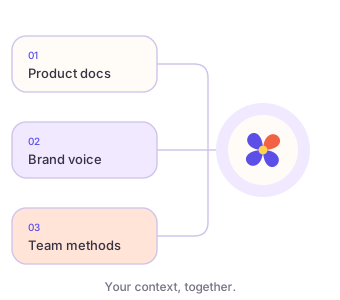
Add the sources that explain your product: documentation, GitHub repositories, websites, or uploaded files. Clara builds a knowledge base from configured sources and uses relevant context when drafting.
Keep each product’s knowledge together so a new brief can start from the right material.
Define your brand’s audience, voice, and writing rules, with product-specific guidance where needed.
Add reusable skills to capture approaches and instructions your team wants Clara to use.
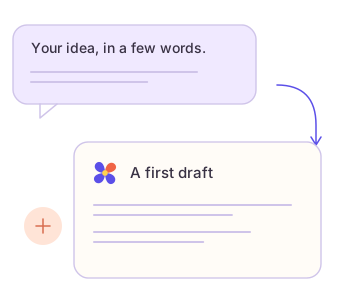
Start in chat or choose a content play. Explain what changed, who it matters to, and what you want to create. Clara uses the brief and relevant product context to draft the work.
“Turn this release into a LinkedIn post and an article for product teams. Keep it practical, and show what’s changed for the user.”
Example brief. Your actual result depends on the context and provider you configure.
Create a post, article, X thread, or release announcement for a specific audience and channel.
Start from a product launch or version release playbook to organize related pieces around the same story.

Go beyond a text draft with Clara’s visual creation tools.
Create LinkedIn PDFs and Instagram image sets. Bring screenshots and terminal visuals into a story that unfolds slide by slide.
Start from a brief and uploaded footage, images, or audio. Review a rendered preview, ask for revisions, and export an approved MP4.
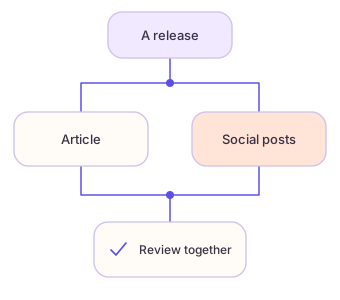
Open Workflows to build an automation on the visual canvas. Add blocks, connect their inputs and outputs, and select each step to edit its properties. Combine research, content creation, decisions, review, and publication planning. Build with blocks or describe the sequence through Build with Clara.
Use parallel paths for an article and social content, conditions for different outcomes, and loops for a list of items. A step with several incoming connections waits for its dependencies.
Run when you ask, on a schedule, from a Clara event, or through a configured webhook. Choose timing and timezone in the Trigger step.
Follow runs and outputs in Activity, and manage planned posts in Calendar. Pause an agent or an individual job when the plan changes.
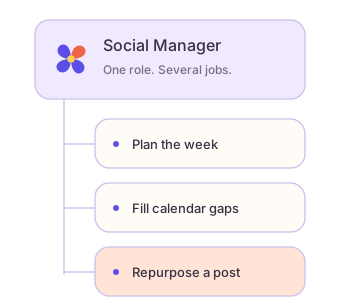
Clara’s agents are marketing team members with ongoing responsibilities. Give them a goal, your product context, and permission to act. They keep researching, creating, and managing your marketing while you’re away—without waiting for your next prompt.
Choose a specialist from the Agent library or create your own. Set its priorities and recurring jobs, then activate it to start working for your product.
Agents run on the schedules you set and respond to events, such as a new comment or a gap in your calendar. You don’t need to stay online or start each job yourself.
Let permitted work run automatically, including publishing, within your settings and guardrails. Keep approval steps where you want them, and check results or pause an agent whenever you choose.
Researches topics and drafts articles from your product knowledge, on the schedule you set.
Plans your week, fills calendar gaps, and adapts published posts for your other channels.
Checks your website regularly, finds content gaps, and drafts improvements to help people find you.
Tracks competitor updates, identifies useful signals, and brings the highlights into your weekly digest.
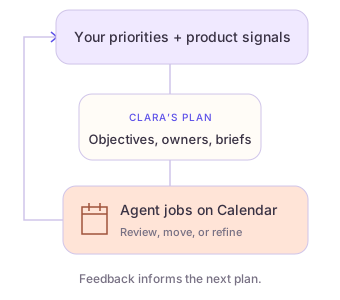
Clara’s marketing planner brings together your priorities, product context, market signals, and what your agents have learned. It proposes objectives and books suitable jobs for your enabled agents on Calendar.
Use Talk to Clara in Calendar’s Plan view to explain what matters now. Your guidance shapes the next plan, alongside available search data, competitor observations, and previous results.
Scheduled posts and agent jobs share one calendar. Review upcoming work and its status, schedule a draft, or move a booking. Each planner objective names an agent, a job, and a brief you can edit; reject work with a reason to guide the next plan.
Clara plans weekly, and you can request a new plan when priorities change. Feedback and agent lessons inform the next plan; existing bookings and your edits are preserved.
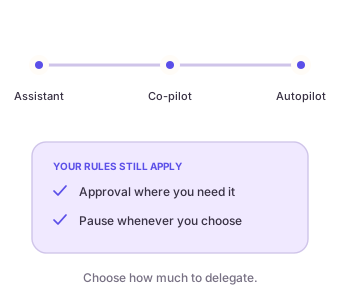
In Settings → Autonomy, choose what Clara may do on its own. These presets govern automatic actions; your guardrails and the creator’s permissions always apply.
Clara suggests work. Nothing runs on its own.
Internal work can run automatically. External or irreversible actions, including publishing, ask for approval.
Work can run automatically, publishing included. Keep a person in the loop with approval overrides for an action, channel, or product.
Set posting limits, quiet hours, and topics to avoid. Agent restrictions can be stricter than the workspace preset, and newly set-up agents may still wait for approval. Pause Autopilot whenever you need to.
Set up autonomy and approvals ↗LESS BLANK PAGE. MORE MOMENTUM.
Tell us what you’re working on.