
Choose your level of autonomy
From suggestions to automatic publishing, decide what Clara can do on its own.
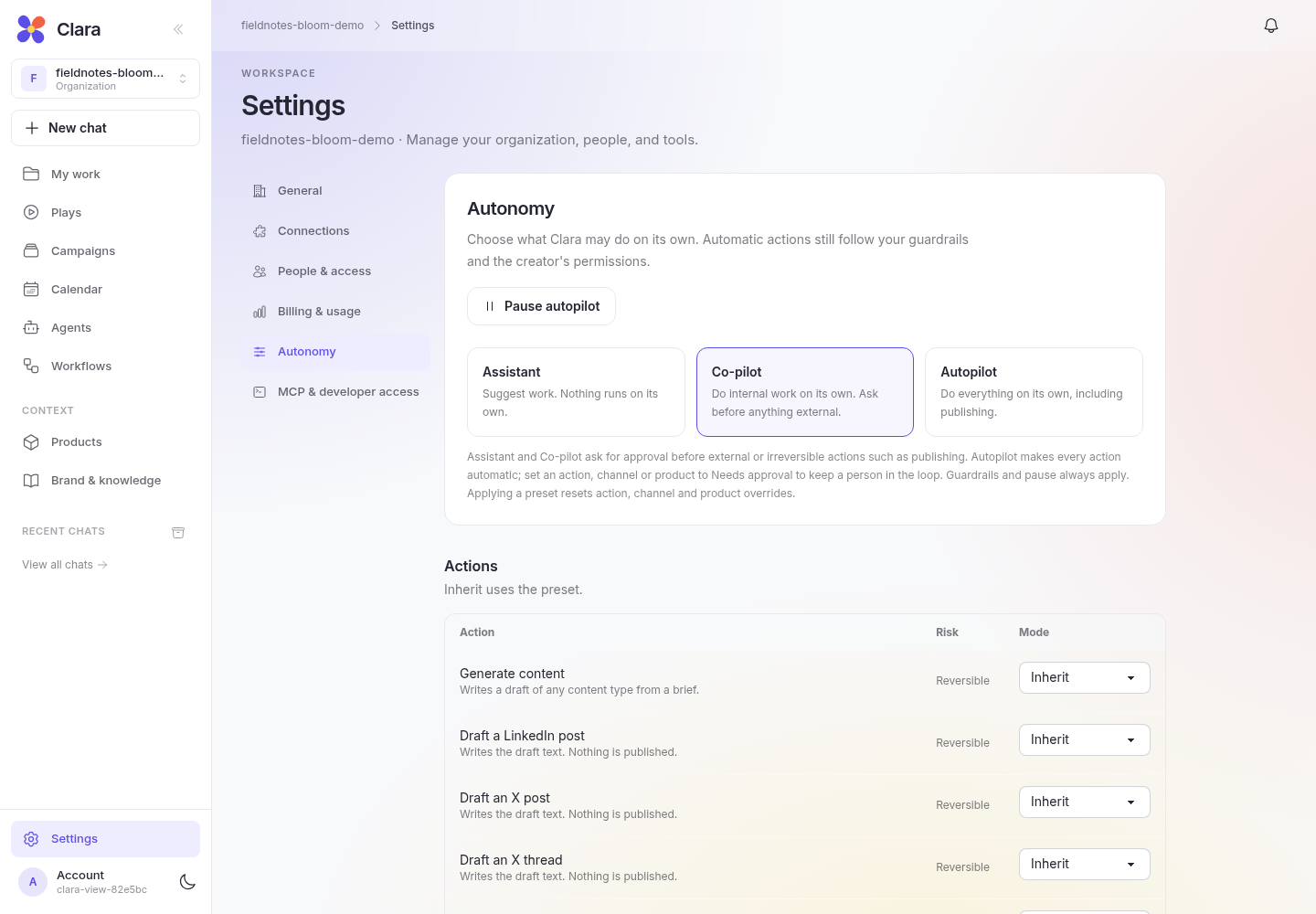
Choose a preset
Open Settings → Autonomy to choose a starting point for your workspace.
- Assistant: suggests work. Nothing runs on its own.
- Co-pilot: does internal work automatically and asks before external or irreversible actions, such as publishing.
- Autopilot: makes actions automatic, including publishing, subject to your settings, guardrails, connected services, and the creator’s permissions.
Autopilot can keep configured marketing workflows moving without a new prompt or approval at every step. It still needs active workflows and the connections required by their jobs.
Keep approval where it matters
Set an action, channel, or product to Needs approval to retain a human decision. For example, allow routine social posts to proceed automatically while keeping a particular product’s posts in review.
Agent restrictions can be stricter than workspace settings. New agents, including the team created by Set up your marketing team, can retain approval requirements under Autopilot. Check each agent’s effective settings before expecting it to publish on its own.
Set the boundaries
Use guardrails for posting frequency, spacing, quiet hours, and topics or competitors to avoid. Guardrails can hold automatic work for approval. The creator’s permissions and connected account access still apply, and claim checks can also block automatic publishing.
These controls let you delegate a regular marketing rhythm while keeping decisions that need your judgment in review.
Pause when plans change
Pause autopilot holds automatic actions for approval. Automatic calendar items wait until you resume and they pass the required checks. Pausing does not undo work that has already happened.
To stop future automatic job starts, pause the agent or the relevant job as well. Existing workflow runs may continue.
Check overrides after changing presets
Applying a preset resets action, channel, and product overrides. Guardrails, pause, and agent restrictions remain. Review the confirmation and restore any exceptions you want to keep before relying on the new preset.